Run your business without the busywork.
Time tracking, invoicing, expenses, and tax prep — in one place, built for one person running their own show. No spreadsheets stitched together with hope.
Orders, a product catalog with real margins, and a tax summary that actually reconciles what you spent on stock — in one place, built for a small team selling physical goods.
Hours or units — invoice either one from the same place, and get one tax summary that gets both right. Most tools make you pick a lane. This one doesn't.
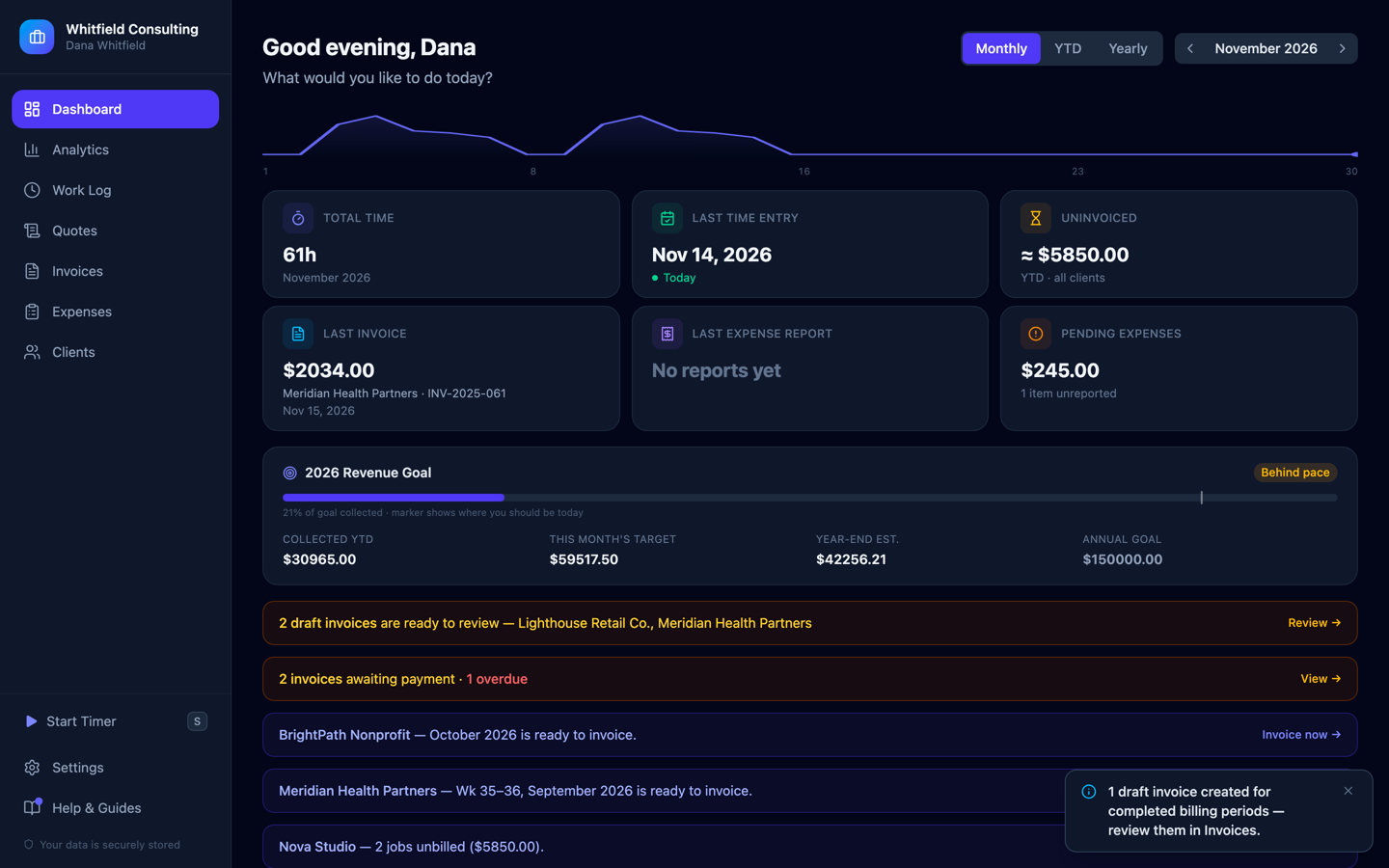
A real dashboard, not a mockup — 61 hours tracked this month, $5,850 sitting uninvoiced, and the app flagging three clients ready to bill.
Tap any screenshot to view it full size
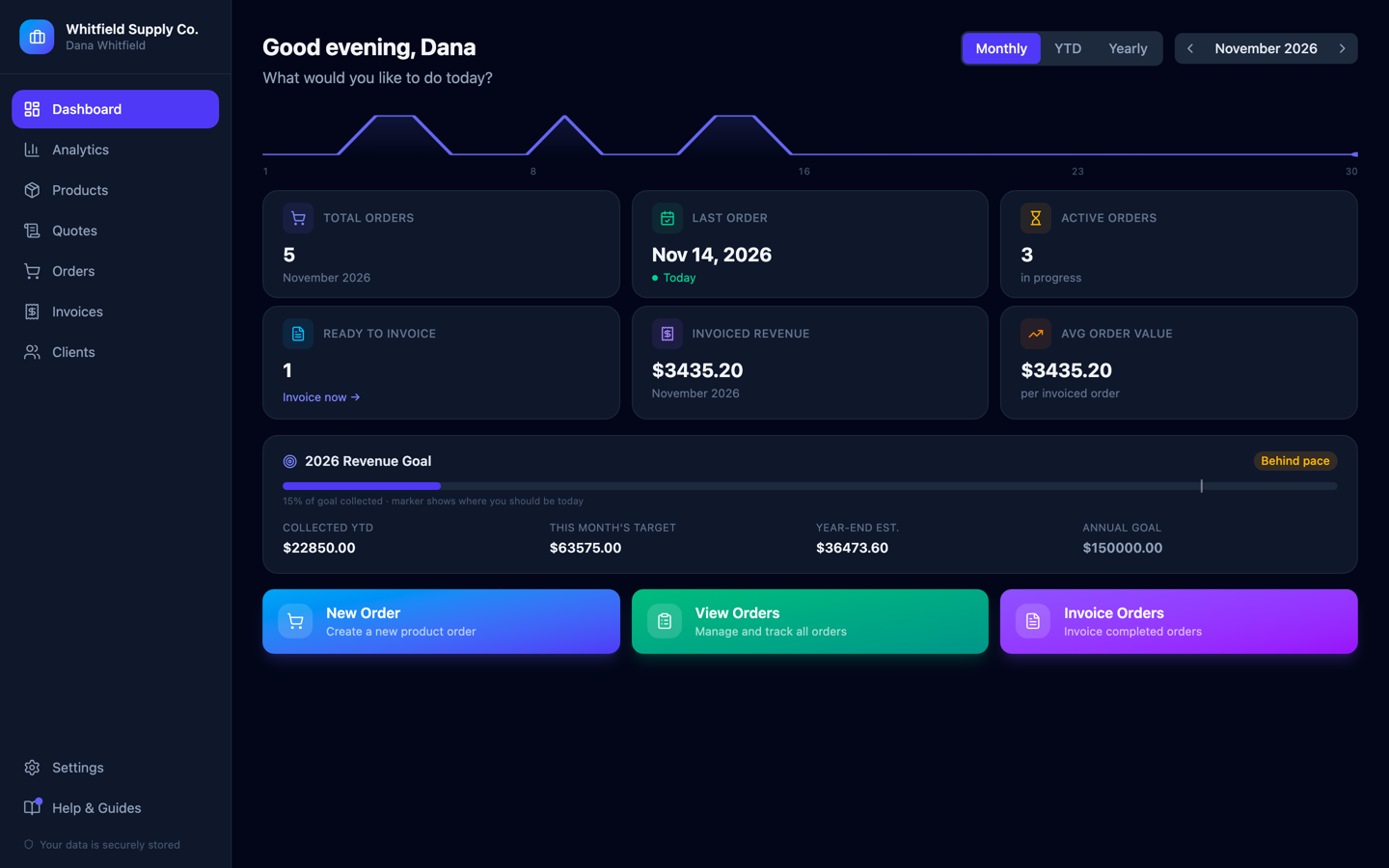
A real dashboard, not a mockup — 5 orders this month, 3 still in progress, and 1 sitting ready to invoice the moment it ships.
Tap any screenshot to view it full size
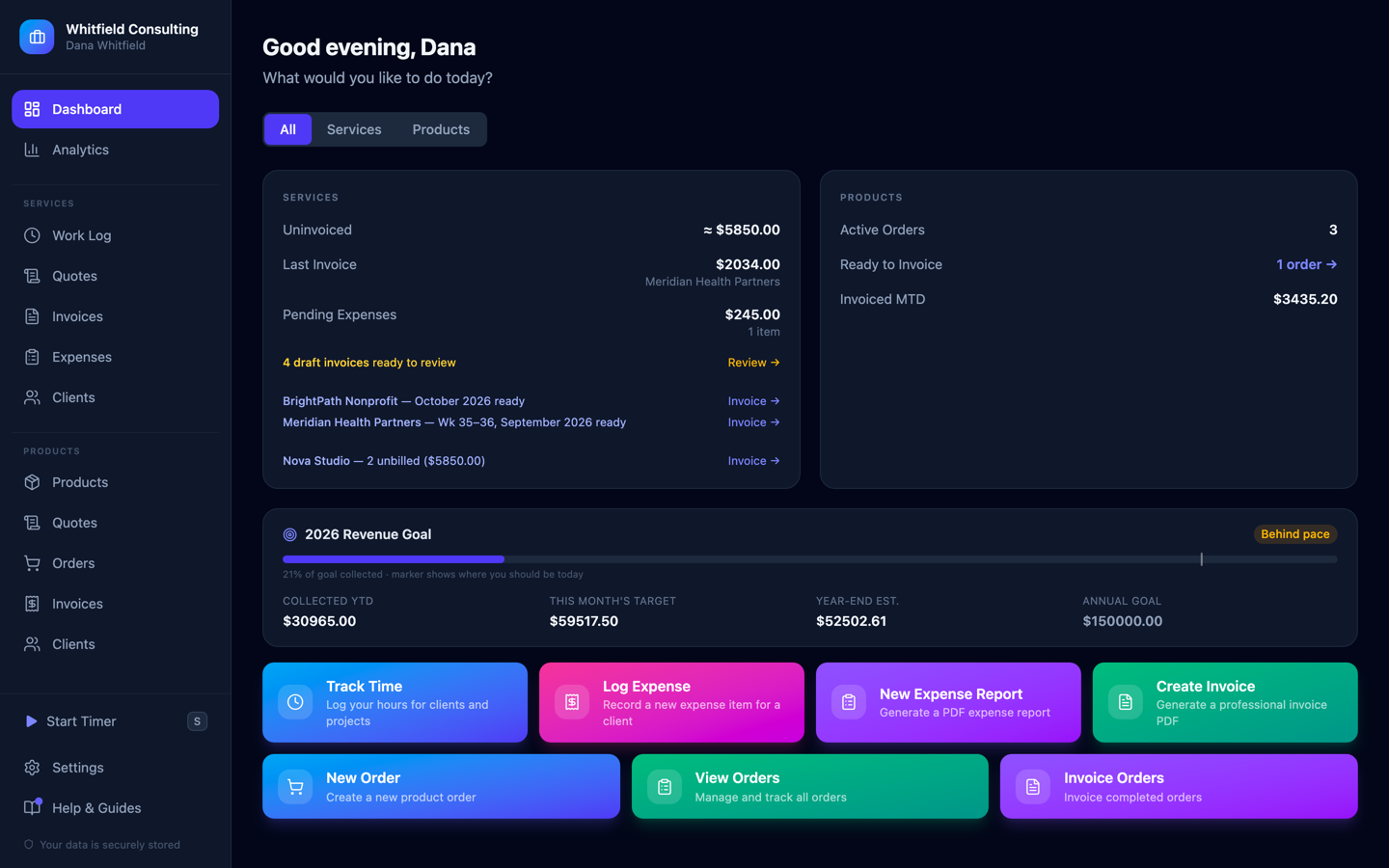
A real dashboard, not a mockup — services and products side by side, both rolling up to the same $150,000 annual goal.
Tap any screenshot to view it full size
// 01 — how it works
Hourly or flat-fee — your choice, same app.
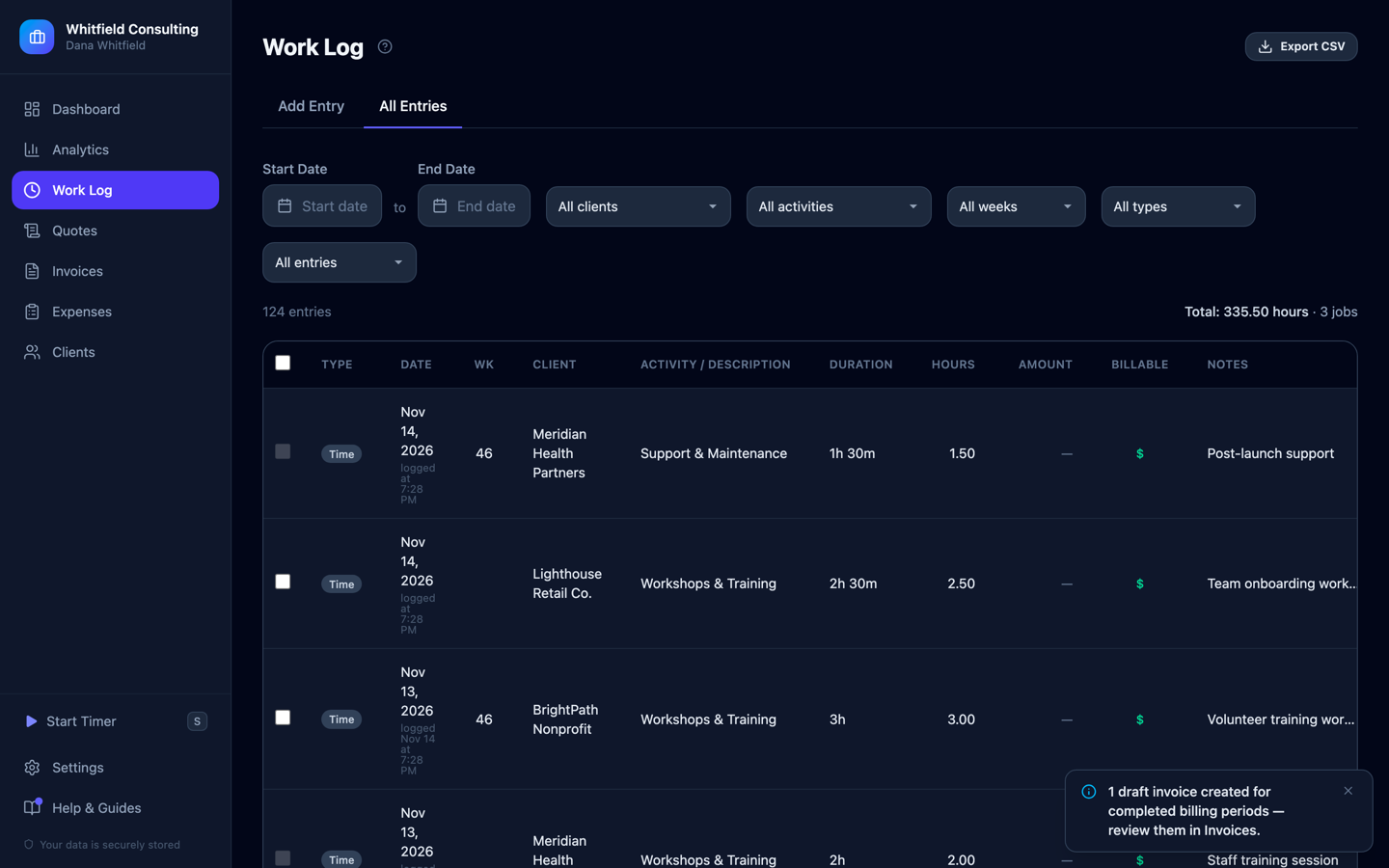
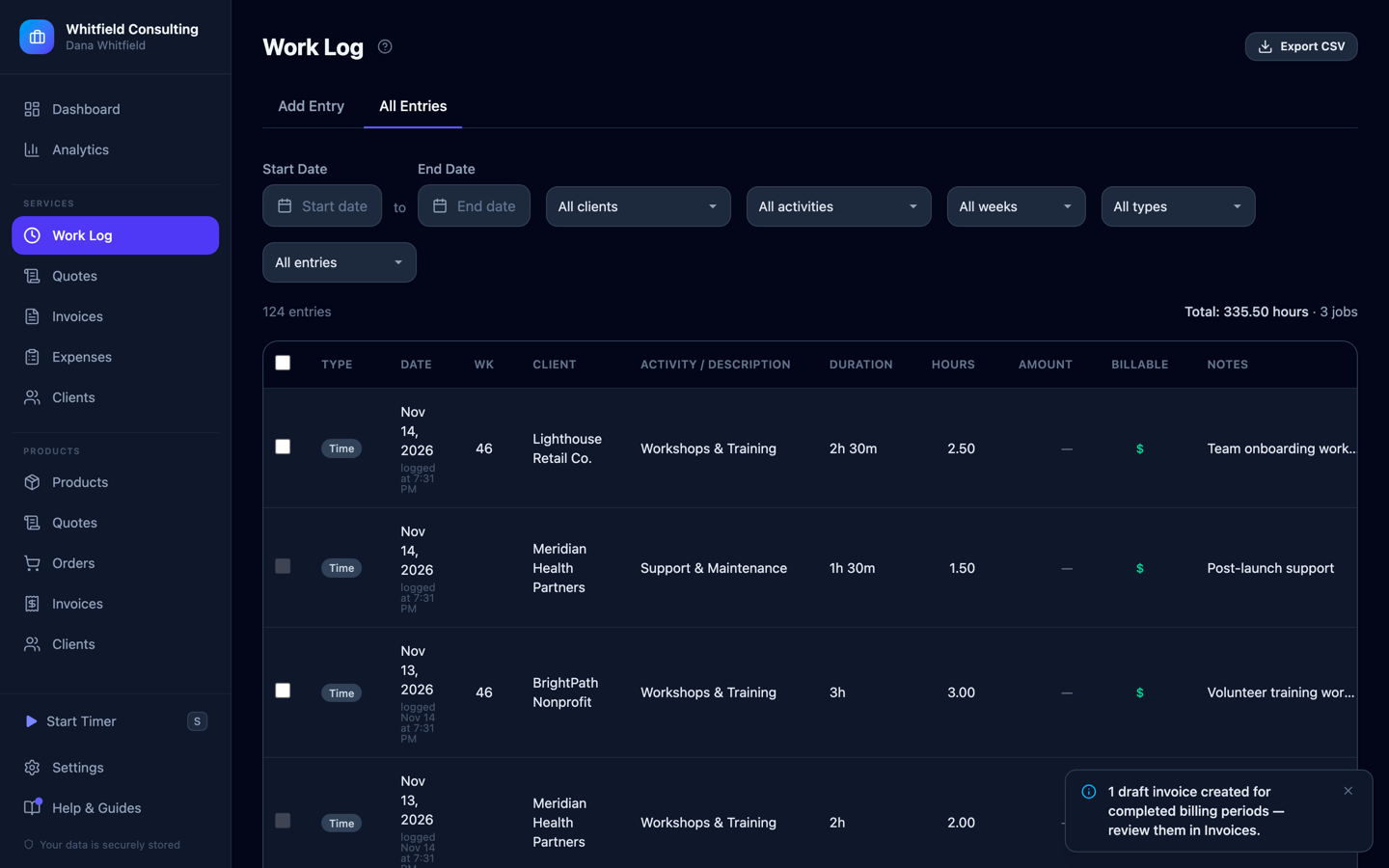
No forcing fixed-price work into an hourly form. Log a job once, with its own amount and dates, and it invoices like any other entry. This business has logged 124 entries totaling 335.5 hours across four clients — all filterable by client, activity, and week without opening a spreadsheet.
// 02 — never miss a period
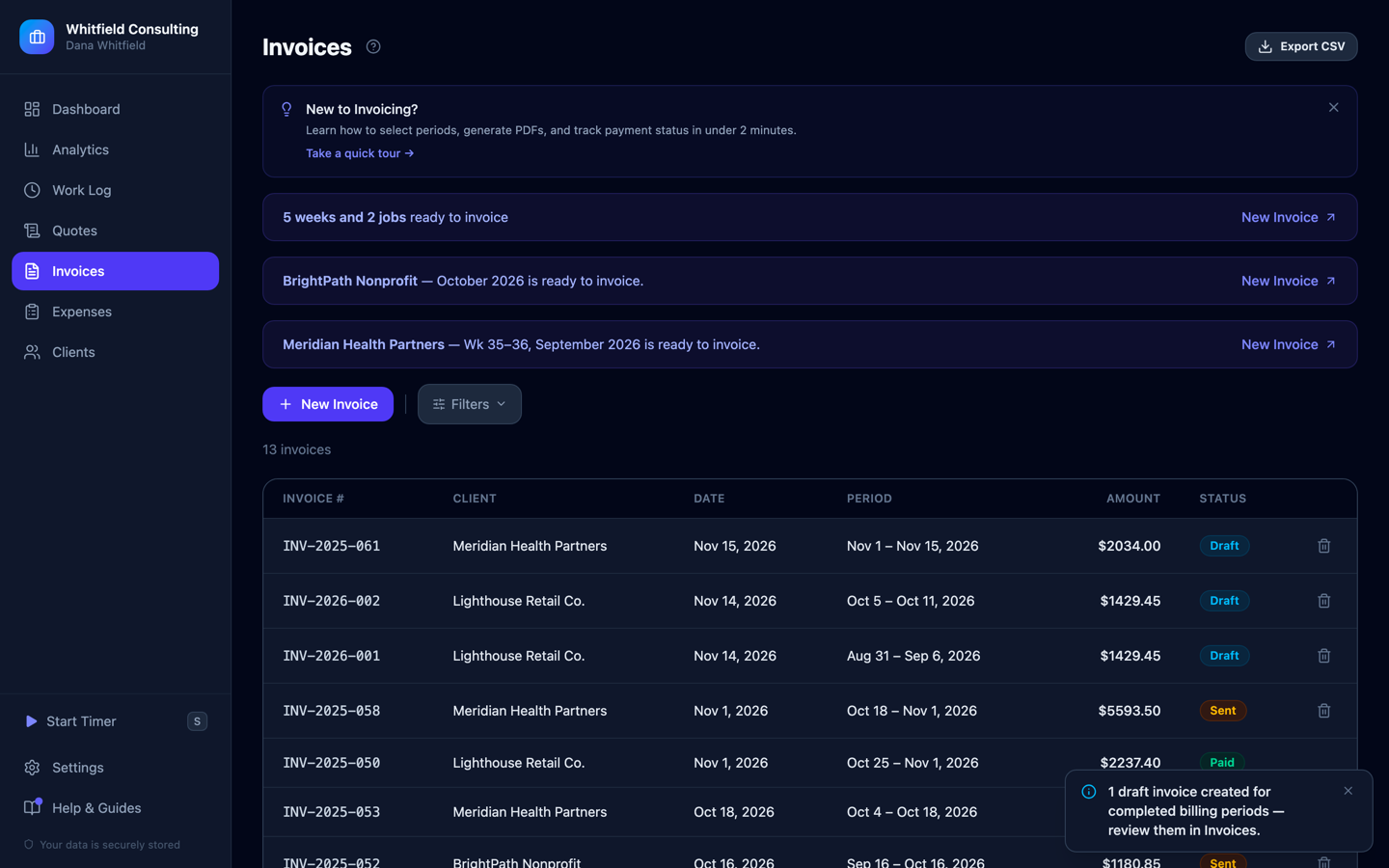
Invoices on autopilot — not on your memory.
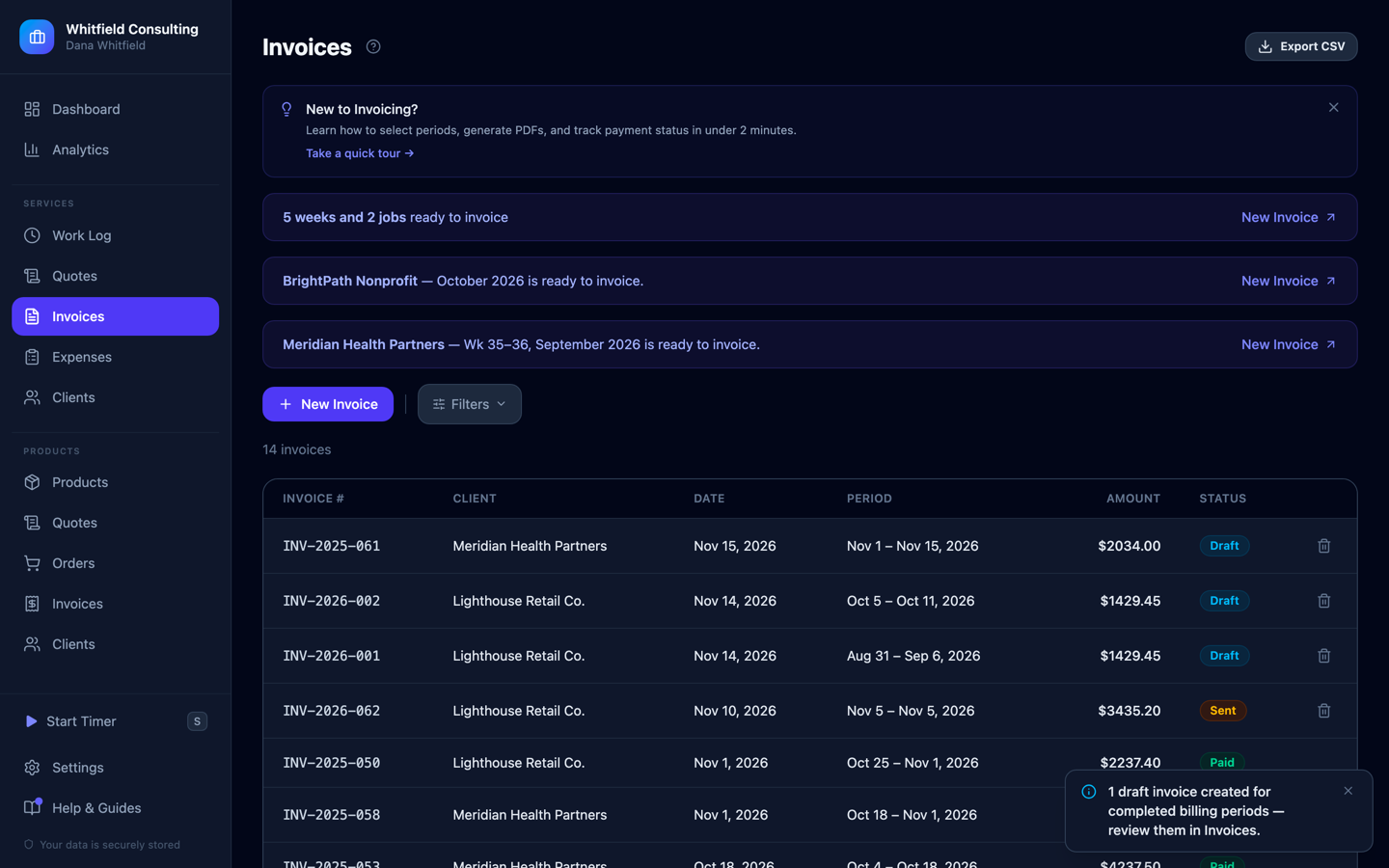
The app watches billing periods and nudges you the moment one's ready — a bi-weekly client, a weekly client, and unbilled jobs, all caught before anyone had to go looking. Turn on auto-draft and it writes the draft itself when a period closes. You still send it; it just never lets a period slip.
// 03 — get paid
Professional invoices, with a payment link baked in.
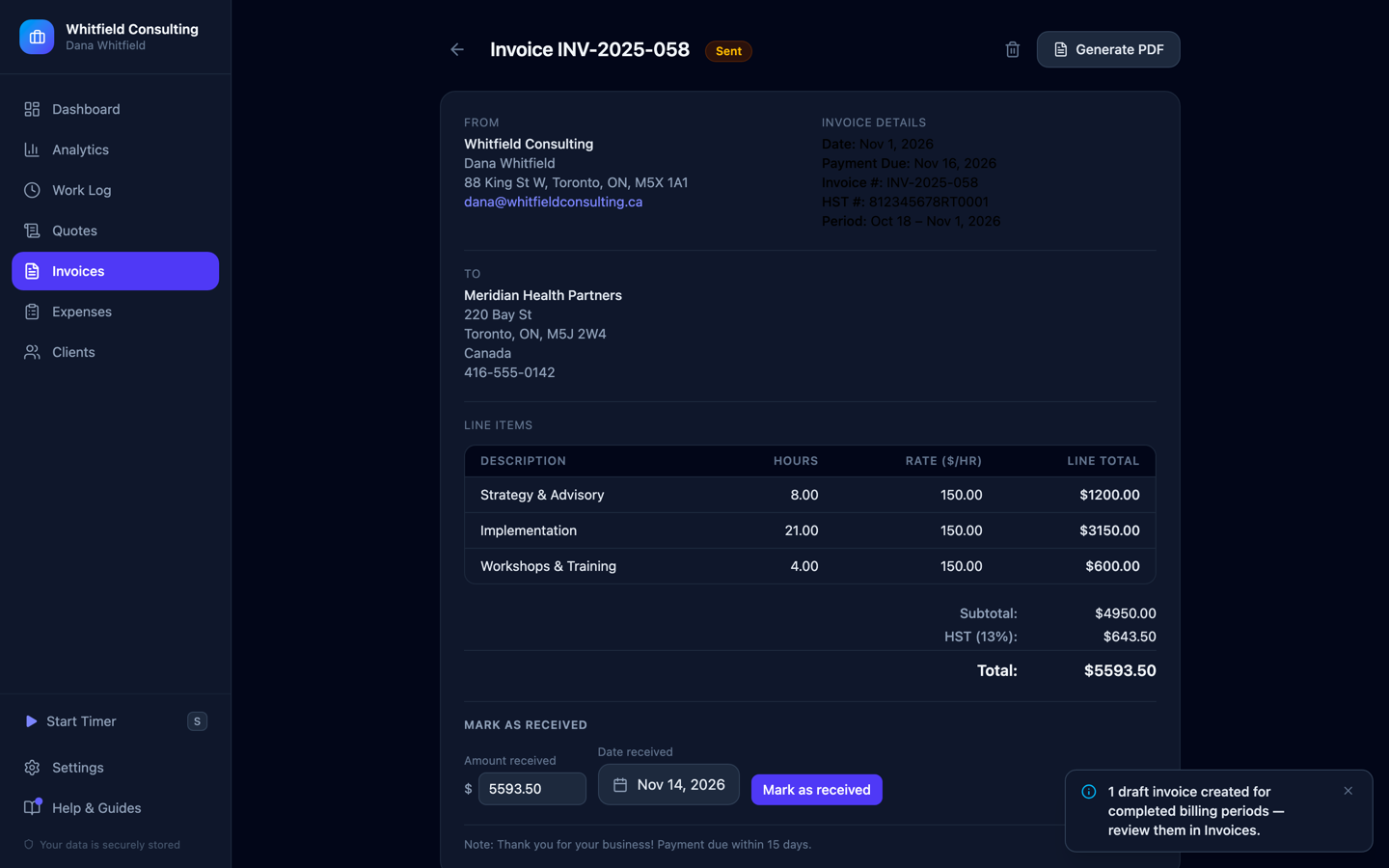
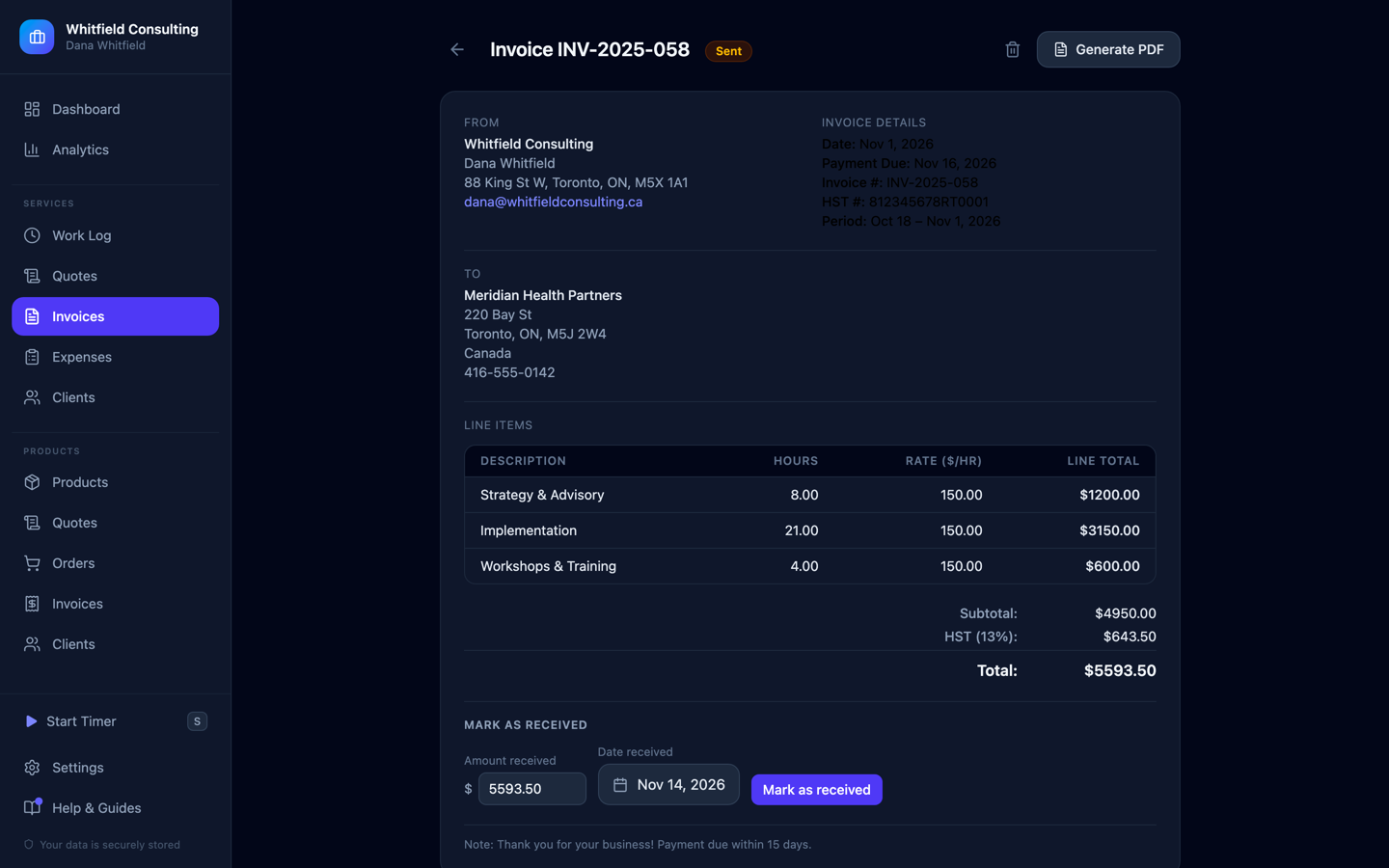
Line items grouped by the work actually done, tax broken out correctly, a due date, and a "Mark as received" flow for when a client pays by e-transfer instead of card. This one — $5,593.50, HST itemized at 13% — generates as a clean PDF in one click, and a Stripe or PayPal link attaches automatically when you want clients to just pay.
// 04 — know your numbers
See where the money actually is.
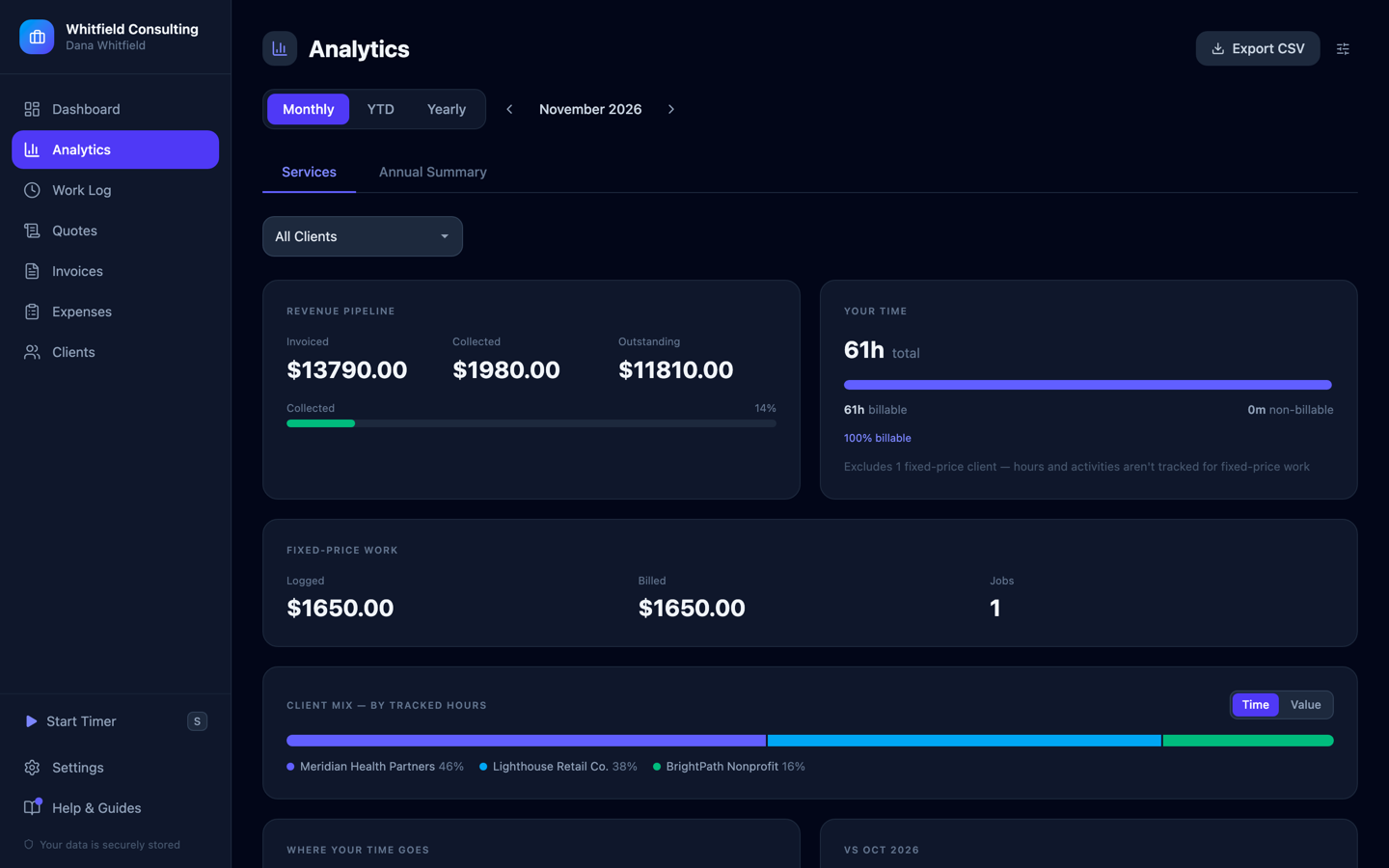
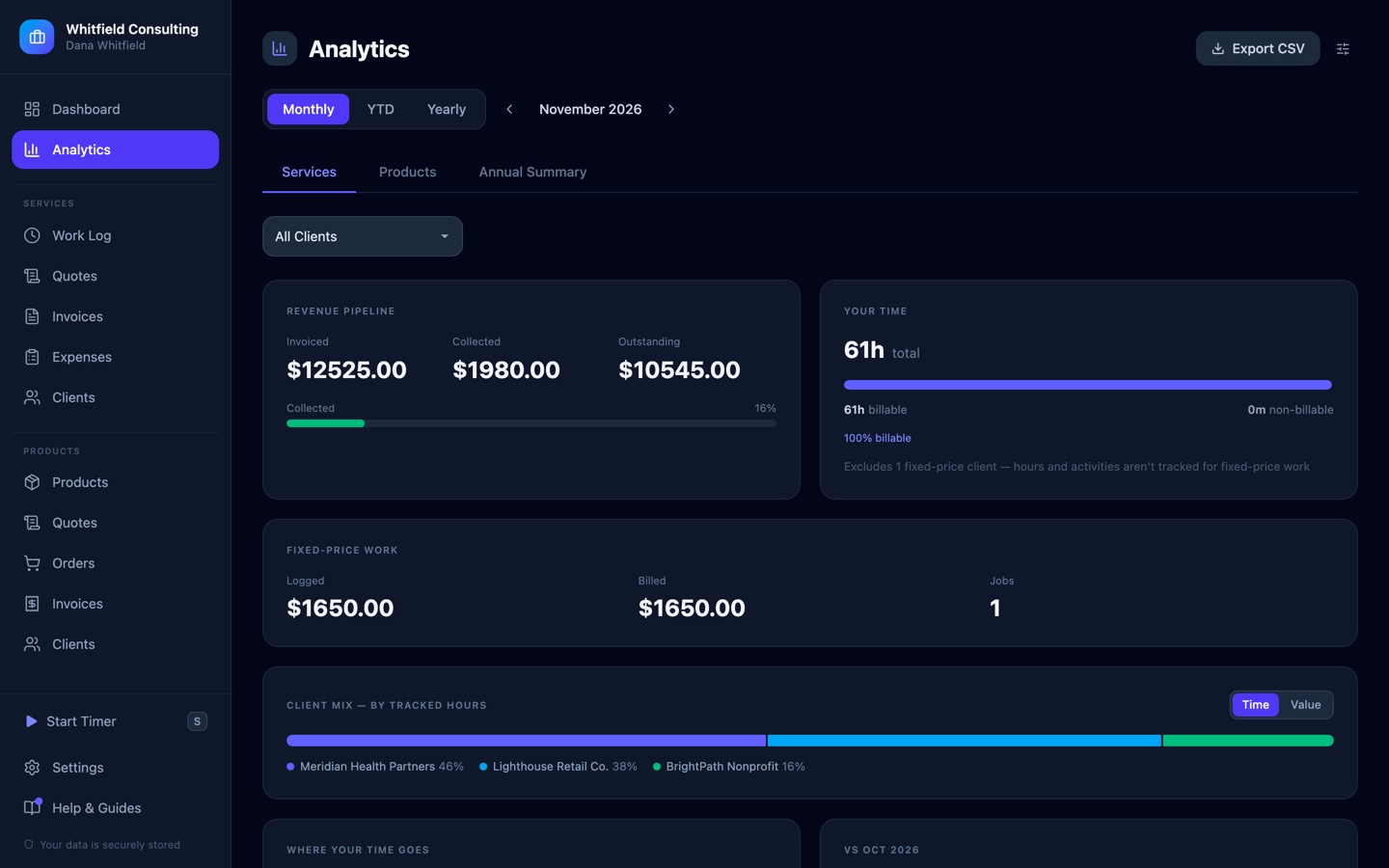
Revenue pipeline, billable-hours split, fixed-price work, and client mix, recomputed live — no monthly export-and-pivot-table ritual. Set an annual goal once ($150,000, currently 21% collected) and this is what tells you whether you're on pace or just busy.
// 05 — one form, two destinations
One expense form, two destinations.
Every expense answers the same question first: did a client cause this, or did running the business cause this? One toggle sends it to the right place — a client's reimbursement request, or your own tax write-off — and it's never tracked twice.
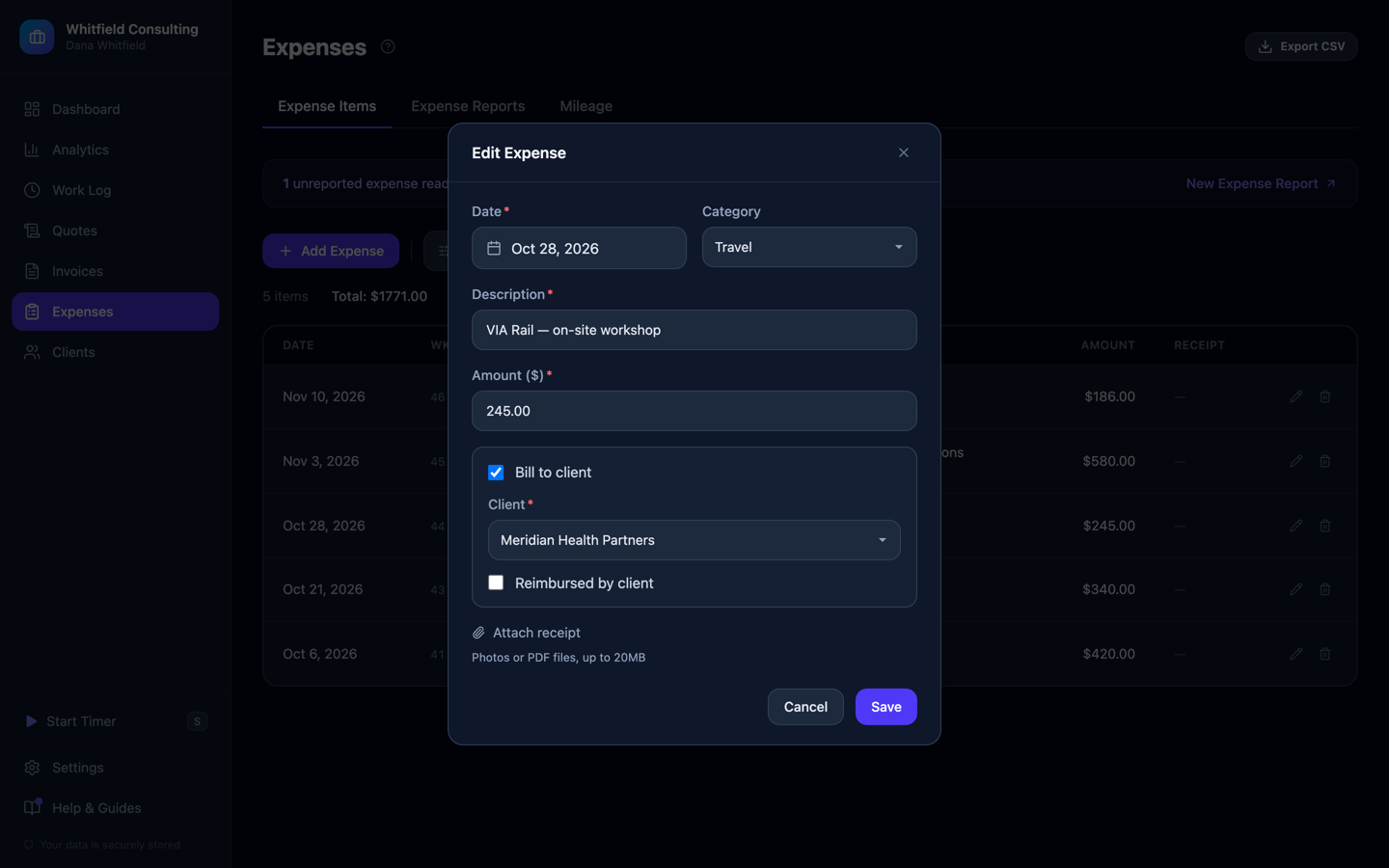
This $245 train ticket was for a client workshop — tagged to that client and tracked for reimbursement, right down to a checkbox for whether they've actually paid it back.
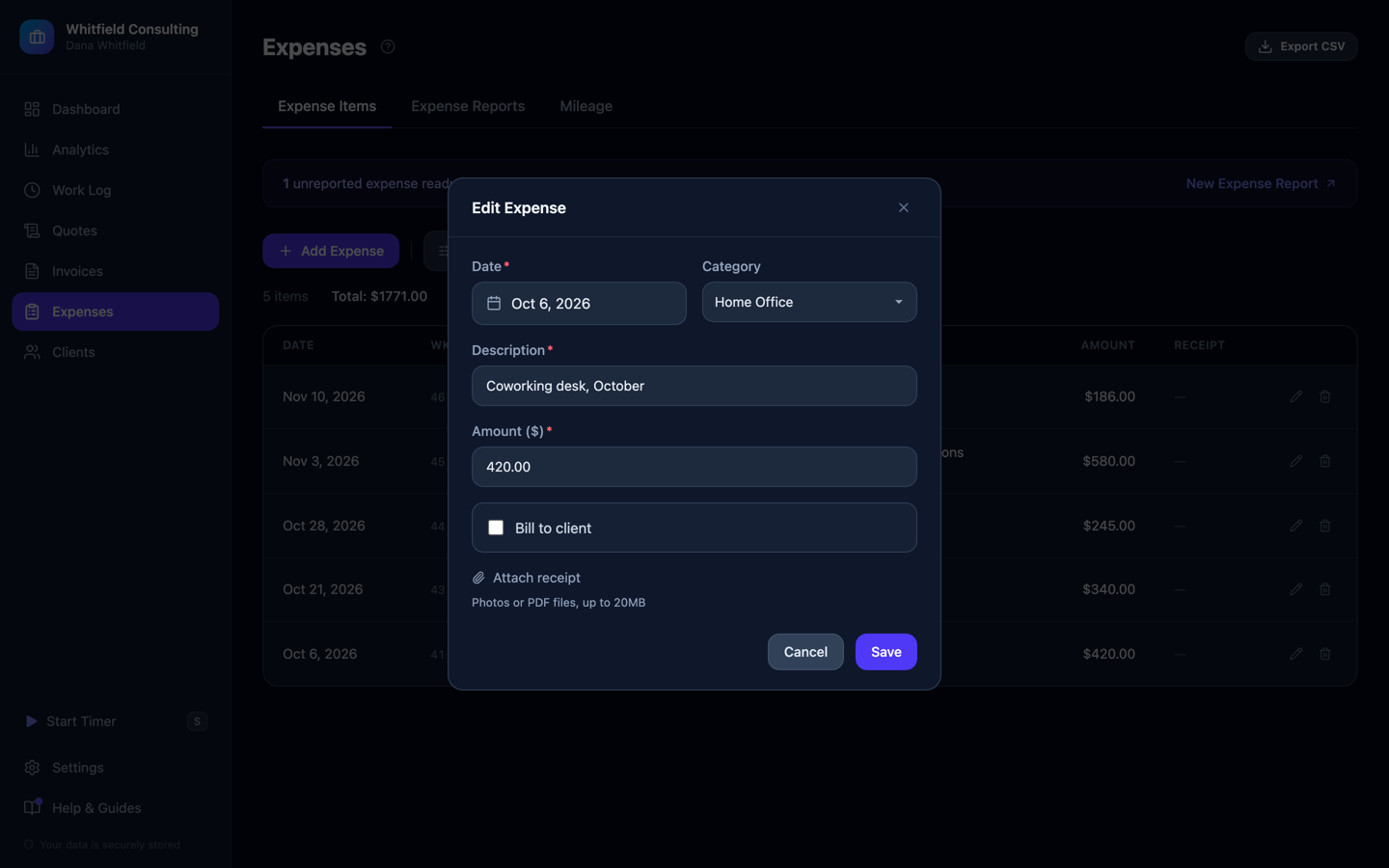
This $420 desk cost wasn't caused by any client — "Bill to client" stays off, and it flows straight into the tax summary below as a real deduction instead.
// 06 — year-end
Tax season, solved before it starts.
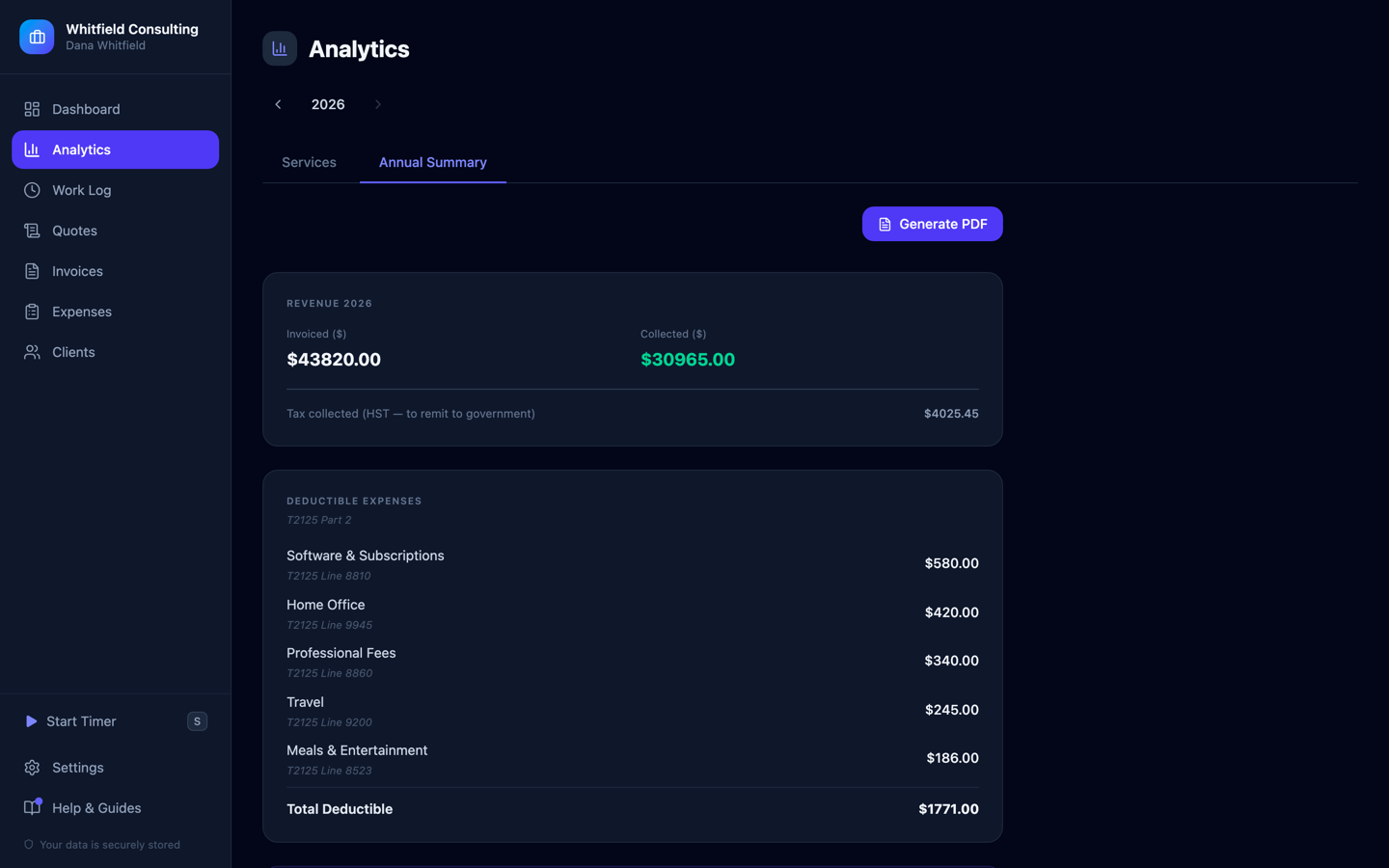
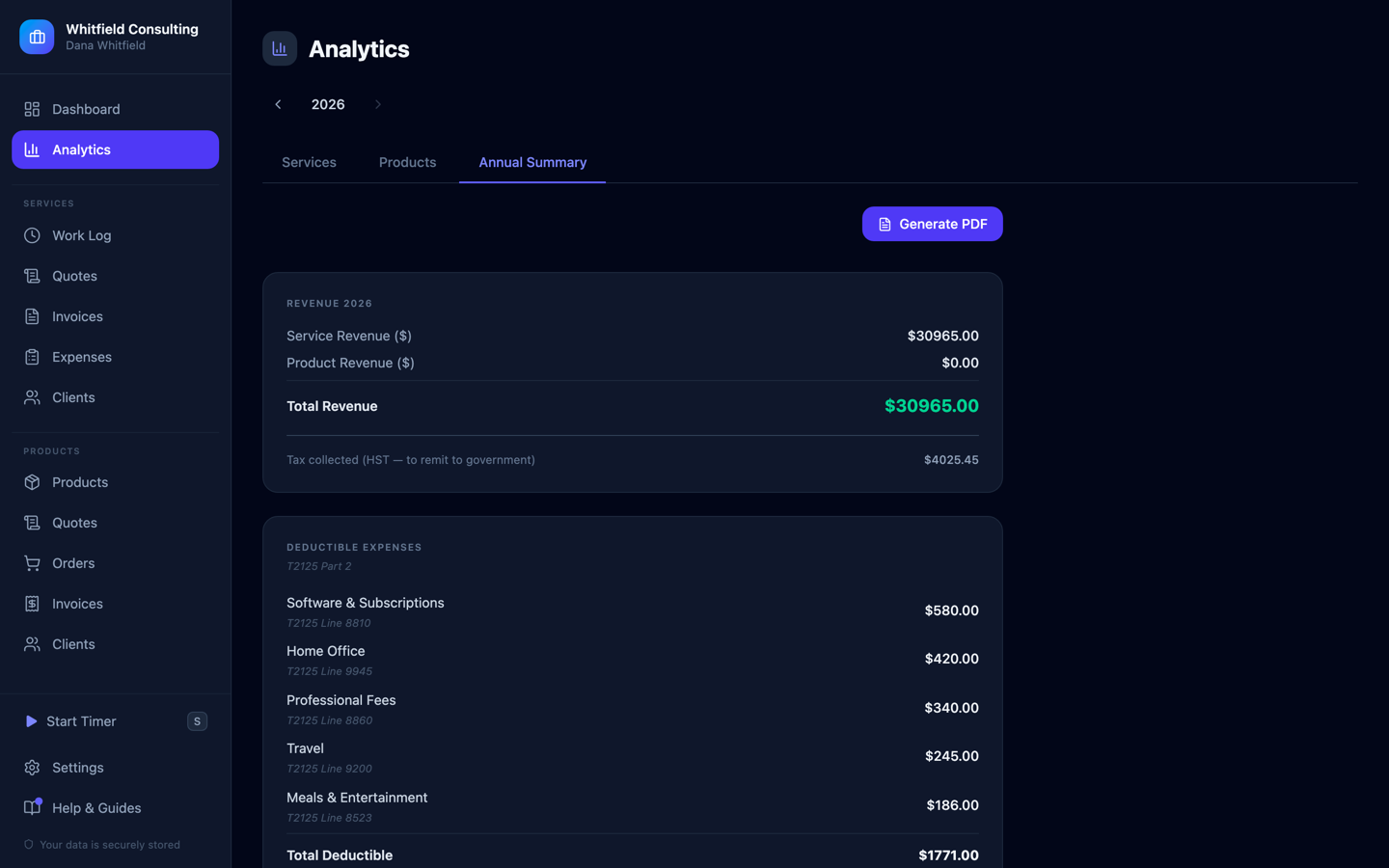
A real year-end summary that maps every number to an actual tax form line — not a CSV you decode in April. Here it splits $43,820 invoiced from $30,965 collected, tracks $4,025.45 of HST separately so it's never mistaken for income, and labels every deductible expense with exactly where it goes on the form.
// 01 — fulfillment, start to delivery
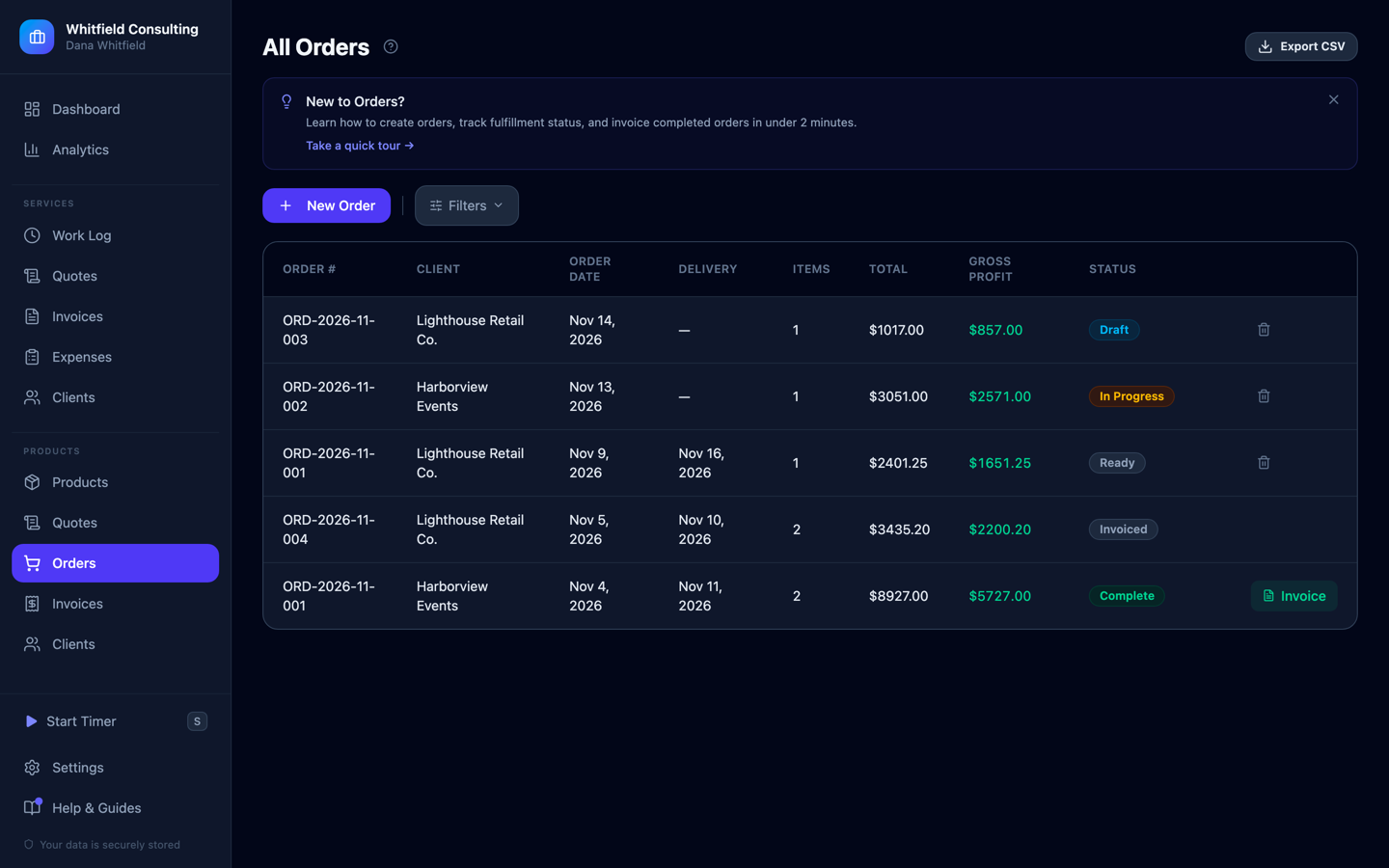
Every order, one pipeline — draft to invoiced.
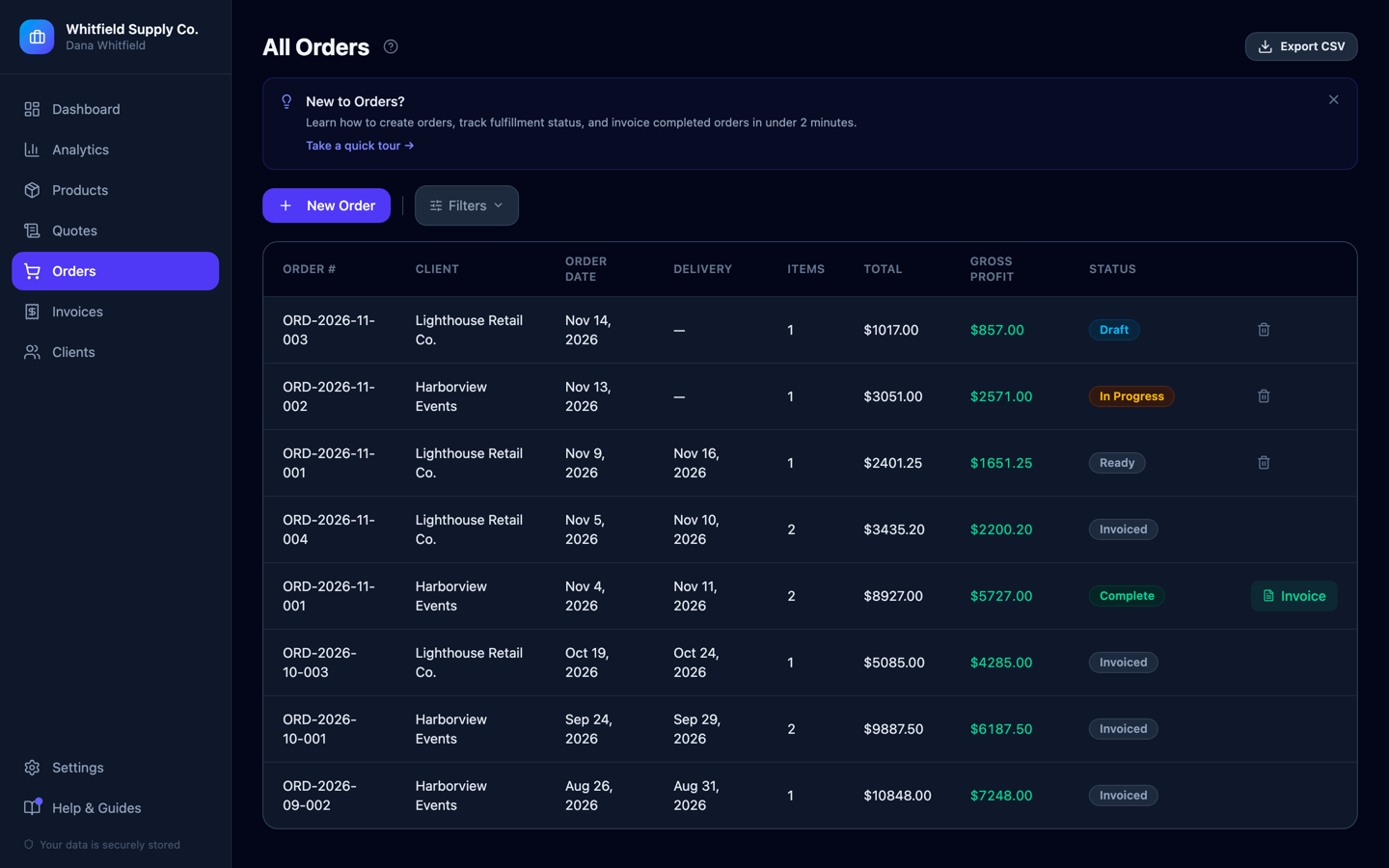
Five stages, one glance: Draft → Processing → Ready → Complete → Invoiced. Orders sit at every stage at once here, with gross profit shown per order and a one-click path from "ready to invoice" to an actual invoice. Nothing gets forgotten between "the client ordered it" and "the client paid for it."
// 02 — an order becomes an invoice
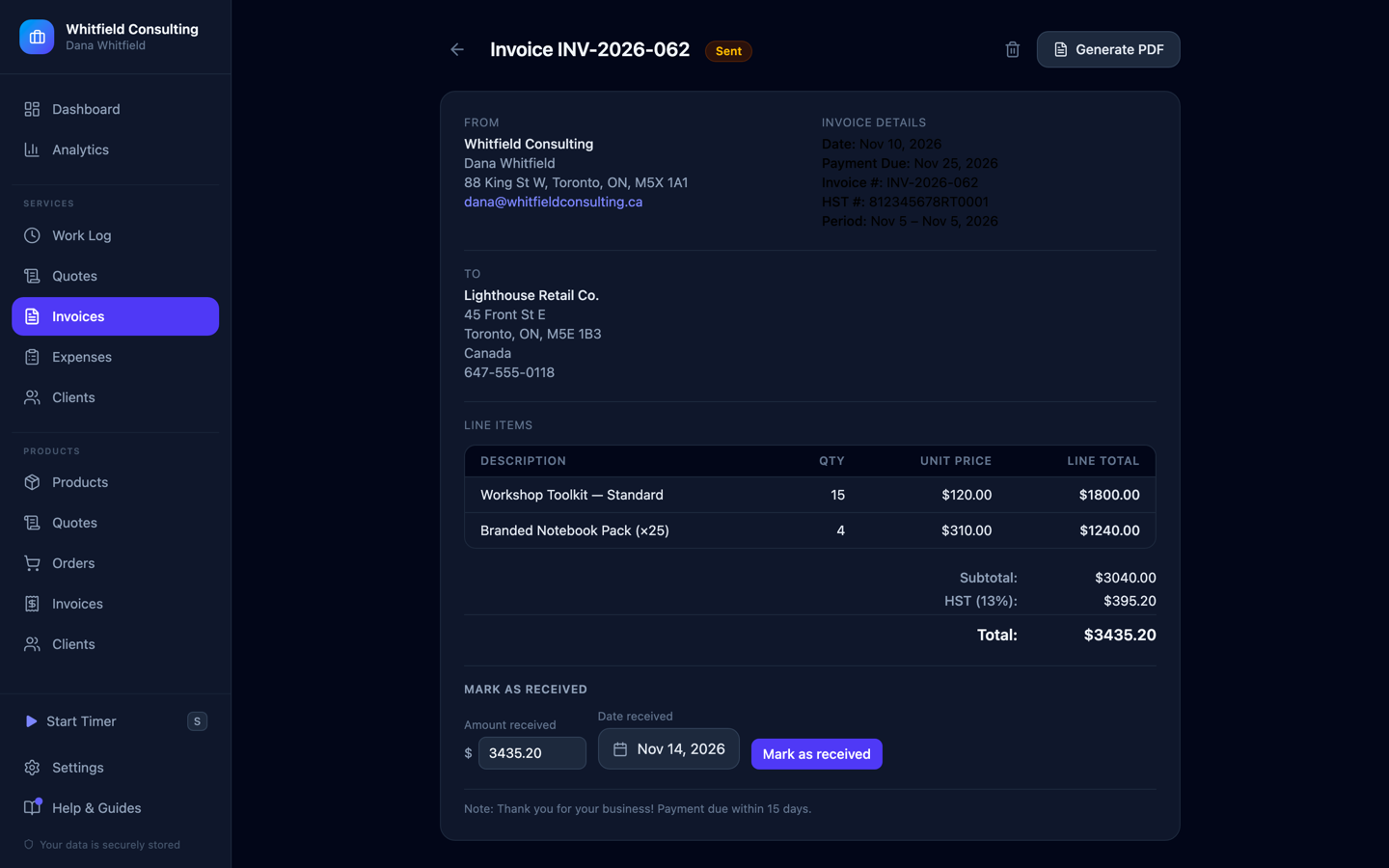
One click from delivered to invoiced.
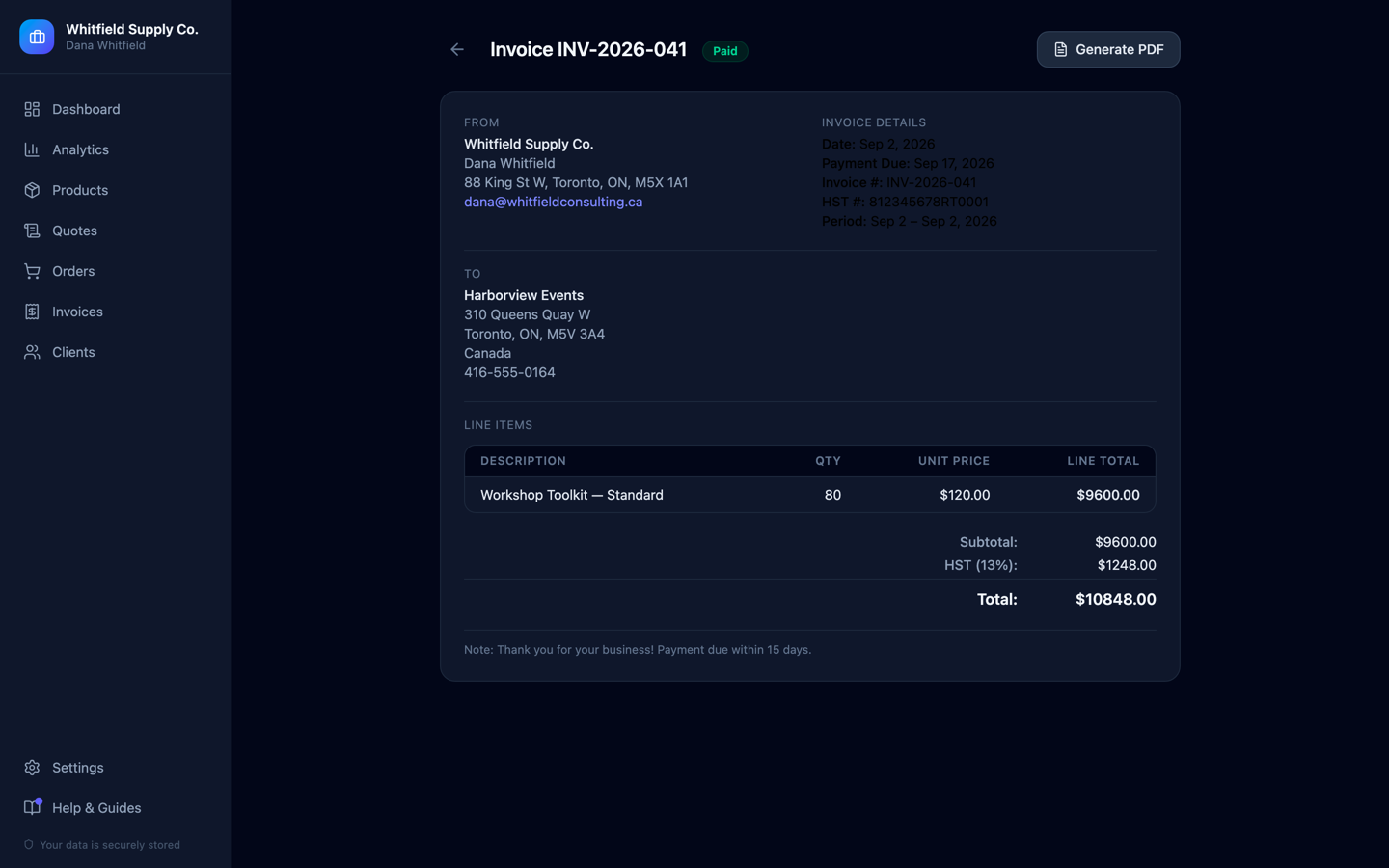
A completed order becomes this invoice without retyping anything — Description, Qty, Unit Price and Total pulled straight from it. 80 Workshop Toolkits at $120, HST itemised at 13%, $10,848 total, now marked paid. Generates as a clean PDF, and a Stripe or PayPal link attaches when you want the client to just pay.
// 03 — catalog & real margins
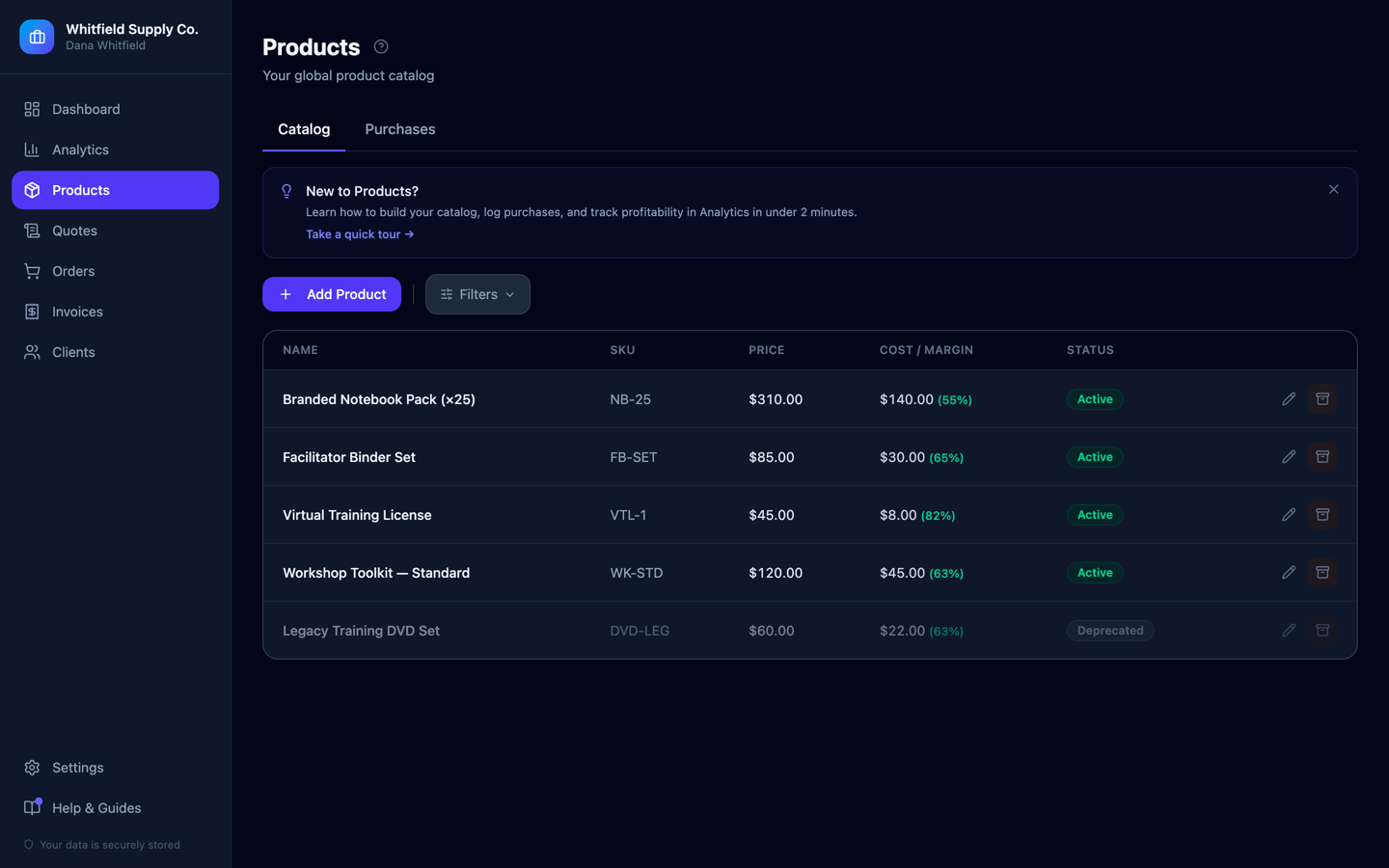
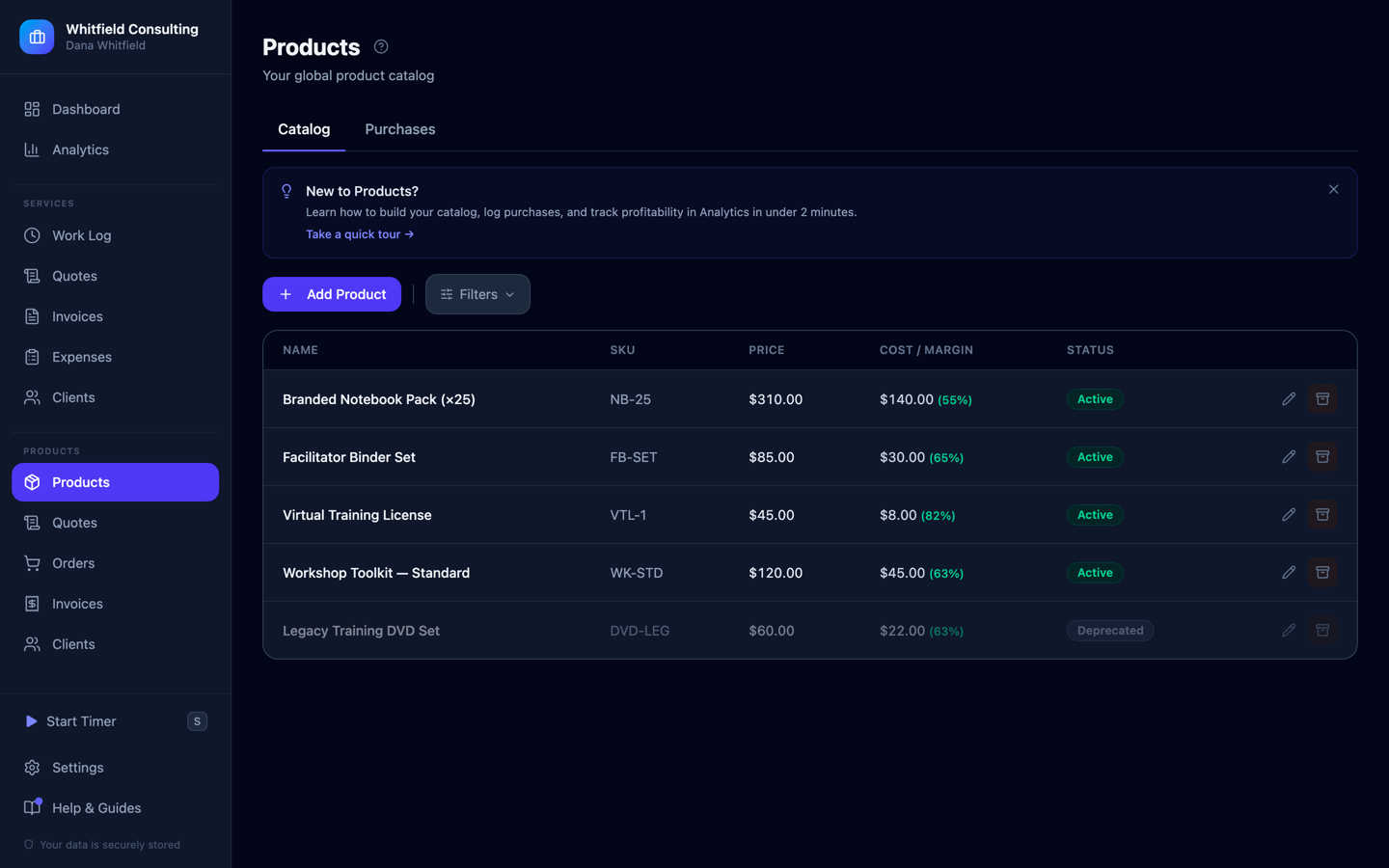
A catalog that knows its own margins.
Set a price and a cost once, and every order, invoice and analytics card computes the real margin from it automatically. The Virtual Training License runs an 82% margin; the Branded Notebook Pack runs 55%. Retire a product and it's marked deprecated, not deleted — past orders still reference it correctly.
// 04 — know your numbers
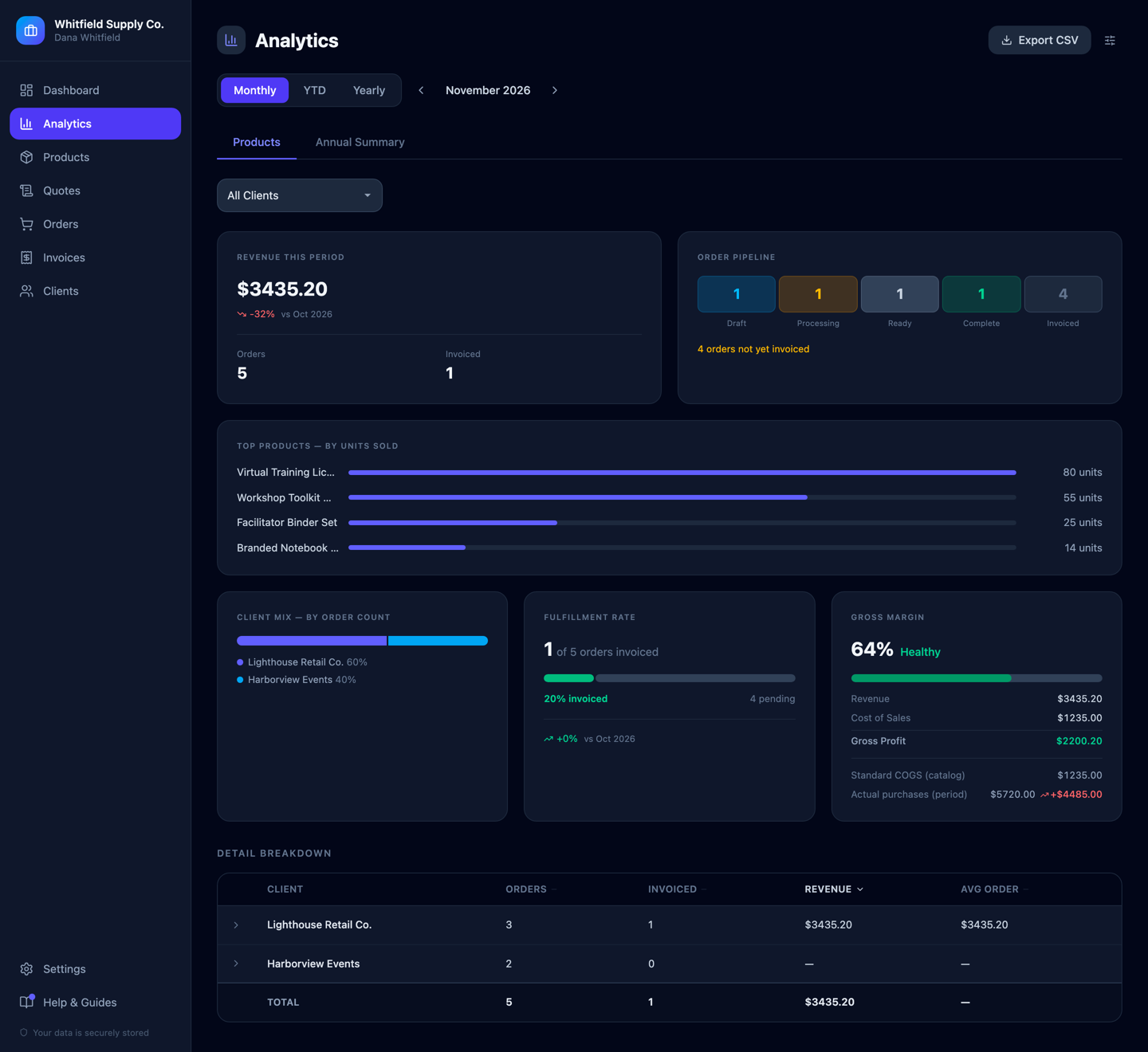
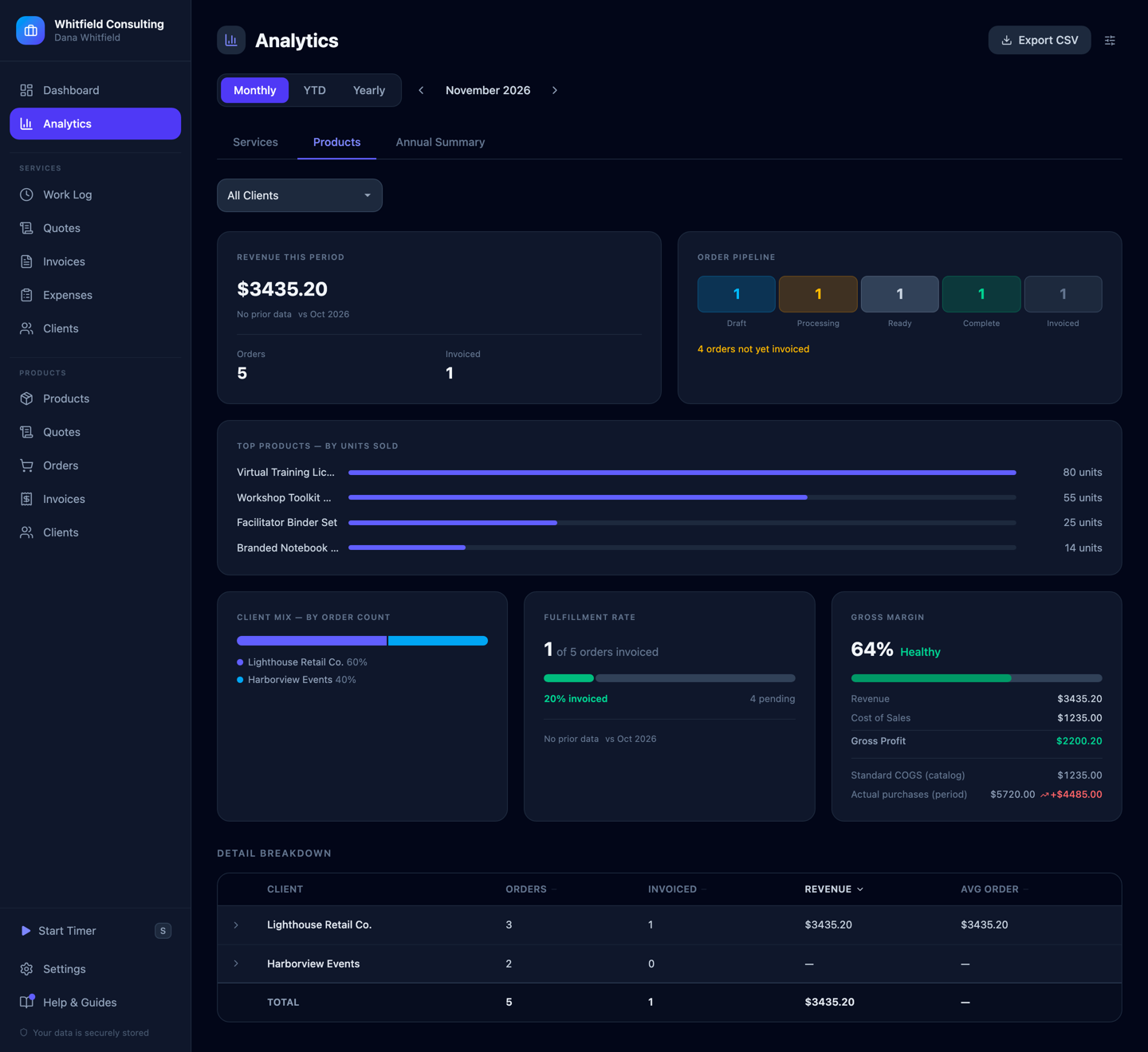
Standard cost vs. what you actually paid.
Catalog cost is a plan. Actual purchases are what really happened. This period standard COGS said $1,235 — but $5,720 went out on restocking, a $4,485 gap worth knowing about long before tax time. Gross margin, fulfillment rate and top sellers, all recomputed live.
// 05 — what the stock actually cost
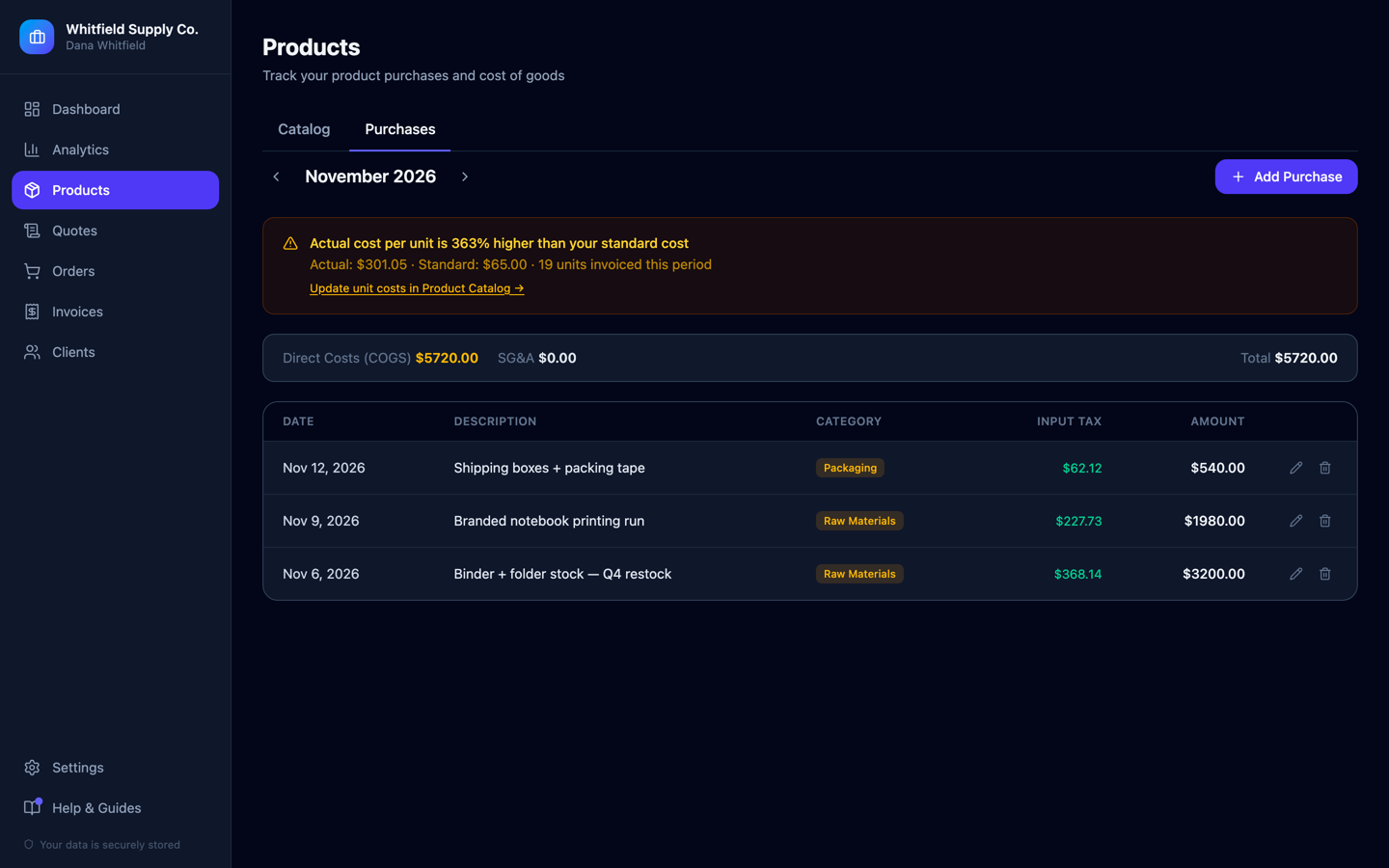
Purchases logged, COGS split from overhead.
Log what you bought and the app sorts it into cost of goods versus general overhead, reclaims the input tax, and watches the gap against your catalog. Here it's flagging that actual cost per unit came in 363% above standard — the kind of thing a spreadsheet only tells you in hindsight.
// 06 — year-end
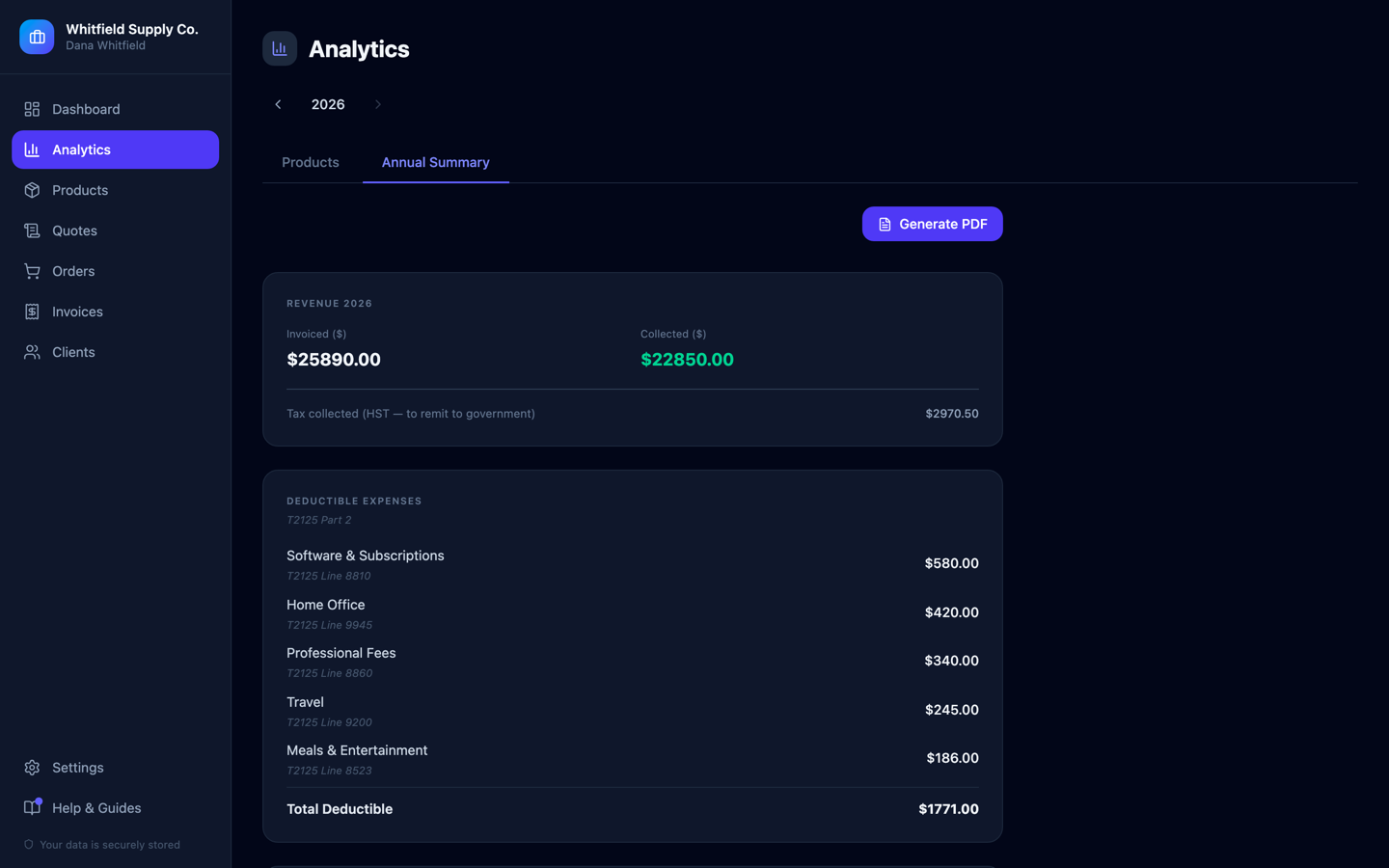
Tax season, solved before it starts.
A real year-end summary that maps every number to an actual tax form line — not a CSV you decode in April. Here it splits $25,890 invoiced from $22,850 collected, tracks $2,970.50 of HST separately so it's never mistaken for income, and labels every deductible expense with exactly where it goes on the form.
// 01 — how it works
Hourly or flat-fee — your choice, same app.
No forcing fixed-price work into an hourly form. Log a job once, with its own amount and dates, and it invoices like any other entry. 124 entries totaling 335.5 hours across four clients, all filterable by client, activity and week without opening a spreadsheet.
// 02 — never miss a period
Invoices on autopilot — not on your memory.
The app watches billing periods and nudges you the moment one's ready. Turn on auto-draft for a client and it writes the draft itself when their period closes. You still send it; it just never lets a period slip through.
// 03 — get paid
Professional invoices, with a payment link baked in.
Line items grouped by the work actually done, tax broken out correctly, and a "Mark as received" flow for e-transfers. This one — $5,593.50, HST at 13% — generates as a clean PDF in one click, with a Stripe or PayPal link attached when you want it.
// 04 — know your numbers
See where the money actually is.
Revenue pipeline, billable-hours split, fixed-price work and client mix, recomputed live. Set an annual goal once ($150,000, currently 21% collected) and this is what tells you whether you're on pace or just busy.
// 05 — fulfillment, start to delivery
Every order, one pipeline — draft to invoiced.
Five stages, one glance: Draft → Processing → Ready → Complete → Invoiced. An $8,927 order already marked complete, gross profit shown per order, and a one-click path from "ready to invoice" to an actual invoice.
// 06 — an order becomes an invoice
Same invoicing engine, built from the order.
The order that just hit "Complete" becomes this invoice in one click — Description, Qty, Unit Price and Total pulled straight from it, tax broken out correctly, same payment options as every other invoice. One engine, whether the work was hours or units.
// 07 — catalog & real margins
A catalog that knows its own margins.
Set a price and a cost once, and every order, invoice and analytics card computes the real margin automatically. The Virtual Training License runs an 82% margin; the Branded Notebook Pack runs 55%. Retire a product and past orders still reference it correctly.
// 08 — standard cost vs. actual
What the stock was supposed to cost, and what it did.
Standard COGS said $1,235 this period — $5,720 actually went out on restocking, a $4,485 gap worth knowing about before it becomes a surprise at tax time. Same discipline as the services side, applied to units.
// 09 — one form, two destinations
One expense form, two destinations.
Every expense answers the same question first: did a client cause this, or did running the business cause this? One toggle sends it to the right place — a client's reimbursement request, or your own tax write-off — and it's never tracked twice.
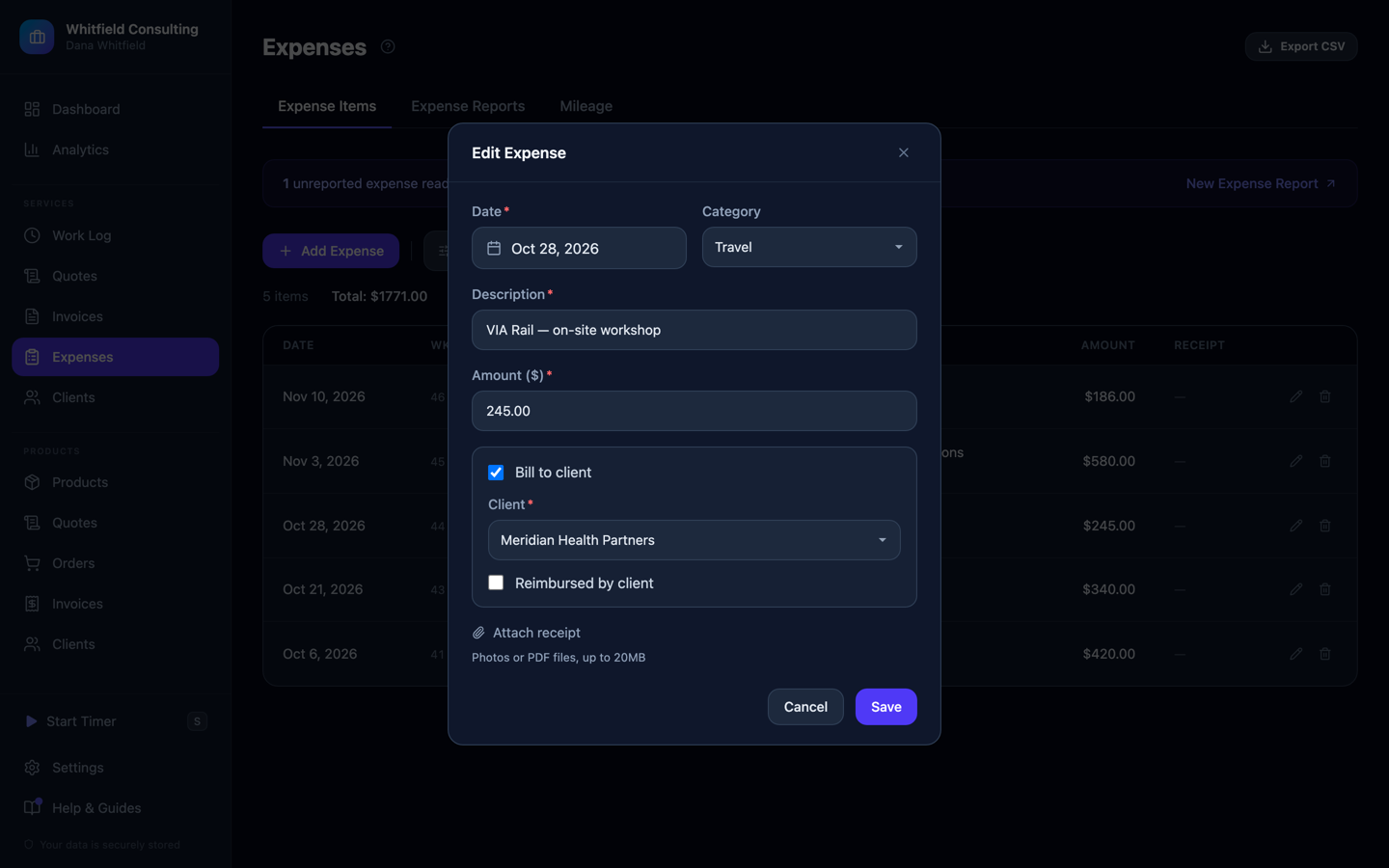
This $245 train ticket was for a client workshop — tagged to that client and tracked for reimbursement, down to whether they've actually paid it back.
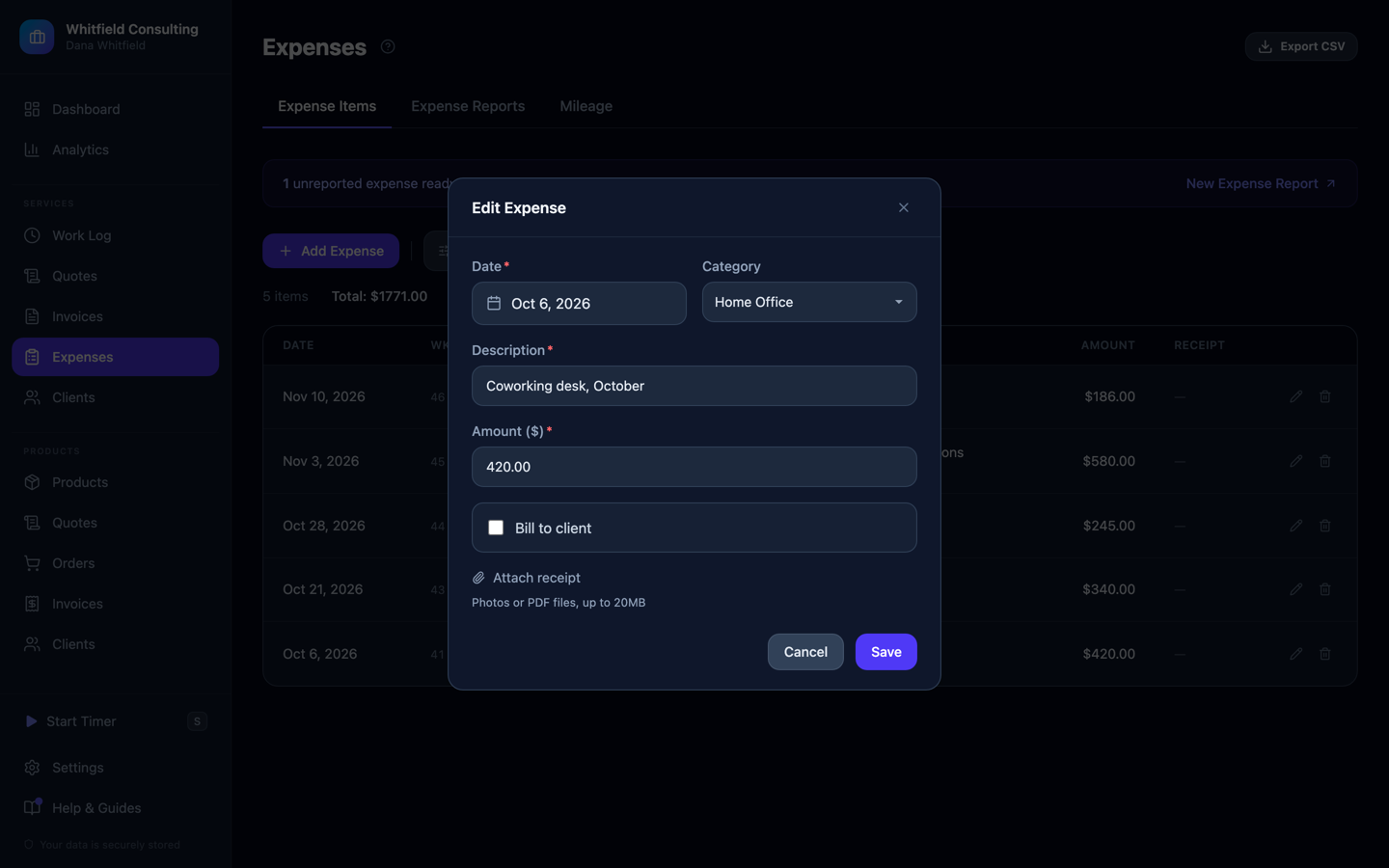
This one wasn't caused by any client — "Bill to client" stays off, and it flows straight into the tax summary below as a real deduction instead.
// 10 — year-end
Tax season, solved before it starts.
A real year-end summary that maps every number to an actual tax form line — not a CSV you decode in April. Service and product revenue split out, tax collected tracked separately so it's never mistaken for income, and every deductible expense labelled with exactly where it goes on the form.
// also included
Multi-currency, done right
Bill clients in their own currency. Converted totals use real FX rates — never a guess.
Mileage & vehicle tracking
Log a trip and the per-km deduction calculates itself from your own jurisdiction's rules.
Quotes that convert
Send a quote, and turn an accepted one into an invoice or an order with one click.
Stop running your business out of three different tabs.
Free for 30 days. Your data, your numbers, from day one.
Start free at entrepreneur.calgron.com